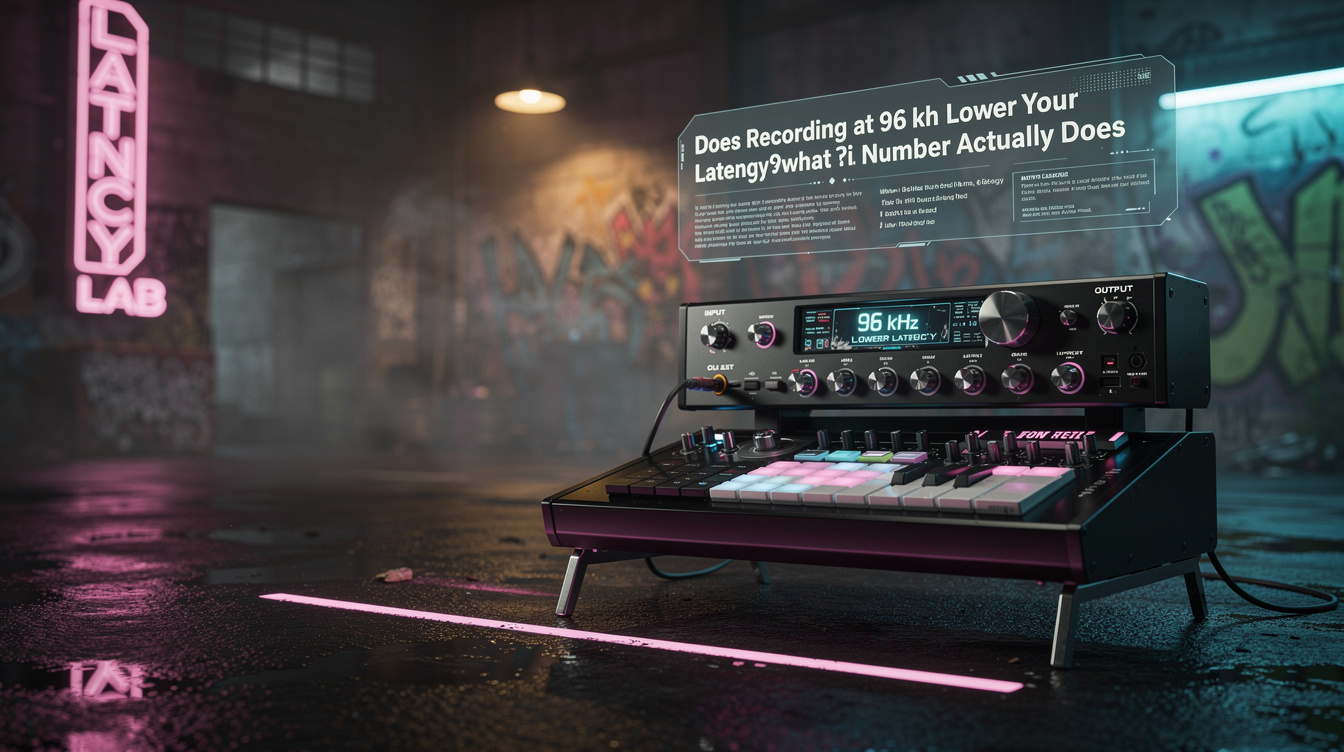
Open your interface's control panel, switch the sample rate from 48 kHz to 96 kHz at the same buffer setting, and the reported latency number drops. That looks like a free win. It isn't free, and it isn't as big as the number suggests. The buffer's share of the delay does get shorter — but the part of the round-trip you can't see barely moves, and you just doubled your CPU load to get there.
Here is what actually happens when you raise the sample rate, measured rather than assumed, and the lever that costs you far less for a bigger result.
The Two Numbers That Make Up Round-Trip Latency
Round-trip latency — the time from your pick hitting the string to the processed signal coming back out of the interface — is the sum of two things:
- Buffer delay. Your DAW hands the interface audio in blocks. A block of N samples takes N ÷ sample rate seconds to fill, and the signal is buffered on the way in and again on the way out. This scales with the sample rate.
- A fixed floor. Analog-to-digital and digital-to-analog conversion each add a fixed group delay, and the driver adds a safety offset so the audio never underruns. This is the part nobody quotes, and it's the part that doesn't care about your sample rate.
Buffer delay is the number people mean when they say "96 kHz has lower latency." The fixed floor is the number that decides whether that's worth anything.
Buffer Delay by Sample Rate
Here is the buffer delay for one buffer, per direction, at the common settings. Round-trip is roughly twice this plus the fixed floor.
| Buffer (samples) | 44.1 kHz | 48 kHz | 96 kHz |
|---|---|---|---|
| 32 | 0.73 ms | 0.67 ms | 0.33 ms |
| 64 | 1.45 ms | 1.33 ms | 0.67 ms |
| 128 | 2.90 ms | 2.67 ms | 1.33 ms |
| 256 | 5.80 ms | 5.33 ms | 2.67 ms |
Read across the 128-sample row: 96 kHz halves the buffer delay versus 48 kHz, from 2.67 ms to 1.33 ms. That's real. If buffer delay were the whole story, 96 kHz would be an obvious win.
It isn't the whole story.
The Floor Is Fixed, and It Dominates
Here's the part that surprised me the first time I ran a loopback measurement instead of trusting the buffer math. I expected doubling the sample rate to roughly halve my reported round-trip. I patched an output to an input, measured the actual delay, and it dropped by a little under 2 ms — from about 7 ms to about 5 ms at the same 128-sample buffer. Not half. A couple of milliseconds.
The reason is the fixed floor. On a typical USB interface, conversion plus driver safety offset lands somewhere around 3 to 5 ms of round-trip that exists no matter what sample rate you pick. Raising the sample rate only compresses the buffer share sitting on top of that floor. When the floor is already the larger of the two numbers, halving the smaller one moves the total by very little.
Put the 128-sample case together, round-trip:
- 48 kHz: ~5.3 ms of buffer + ~4 ms floor ≈ 9 ms
- 96 kHz: ~2.7 ms of buffer + ~4 ms floor ≈ 7 ms
Two milliseconds of improvement. That's about the same as one foot of air between you and a physical amp. It is not the difference between playable and unplayable, and you paid for it twice.
What You Paid: Double the CPU
At 96 kHz your interface produces twice as many samples every second as it does at 48 kHz. Every amp sim, every cab IR, every plugin in the signal path has to process all of them in real time. Processing load roughly doubles.
While tracking, that's the wrong direction. The whole point of a low-latency setting is to run a small buffer without crackles, and a small buffer at a doubled sample rate is exactly when the CPU runs out of headroom. You'll hit dropouts sooner, run fewer plugins, and — on many interfaces — discover that the smallest sample buffer you rely on at 48 kHz isn't even offered at 96 kHz. The theoretical low-latency setting the higher rate promised isn't on the menu.
So the ledger for 48 → 96 kHz reads: about 2 ms of round-trip saved, roughly half your plugin headroom spent, and possibly your lowest buffer setting taken away. That is a bad trade for latency alone.
The Cheaper Lever: Halve the Buffer
If the goal is a lower round-trip while tracking, the sample rate is the expensive knob. The buffer is the cheap one.
Drop from 128 to 64 samples at 48 kHz and you cut buffer delay from ~2.7 ms to ~1.3 ms per direction — the same order of improvement 96 kHz gave you, at a quarter of the CPU cost, and without doubling your data rate. When I halved my buffer at 48 kHz instead of doubling the rate, the reported round-trip moved further than the sample-rate change had, and my plugin count stayed intact.
The order of operations while tracking guitar:
- Set 48 kHz. It's the standard, it aligns with video and most collaborators, and it's not the bottleneck.
- Track at the smallest buffer that runs clean — 64 or 128 samples. This is your real latency control. (For how the buffer-to-milliseconds budget maps to what a guitarist actually hears, see the recording latency budget guide.)
- Bump the buffer up for mixing — 512 or 1024 — where latency doesn't matter and you want the CPU headroom back.
- Only reach for 96 kHz if you have a measured, specific reason that isn't latency.
When 96 kHz Is Actually the Right Call
None of this means 96 kHz is useless. It means latency is the wrong reason to choose it. The honest arguments are about the signal, not the delay: some amp sims and pitch or octave effects alias less at a higher rate, and heavy nonlinear processing — the kind of saturation a high-gain chain leans on — can render slightly cleaner in the top octave, with less of the harsh, granular fizz that lives up around 5 to 6 kHz when a sim is pushed hard. If you can hear that in your mix and it bothers you, record at 96 kHz for the aliasing, accept the CPU cost, and monitor accordingly.
That's a tone decision. It has nothing to do with whether your palm mutes feel tight under your fingers.
The Setting That Removes the Question
The cleanest fix for latency is to stop routing your monitoring through the round-trip at all. Direct monitoring — hardware monitoring on your interface, or the near-zero-latency through-path on a modeler used as an audio interface — sends your input straight to the headphone output while the DAW still records the processed signal. You hear yourself in real time; the sample rate and buffer become irrelevant to what you feel.
The one cost is that direct monitoring is usually the dry or hardware-processed signal, not your in-the-box amp sim. If you need to hear the plugin tone while you play — and most players tracking through a sim do — you're back to needing a low round-trip, which brings you back to the buffer, not the sample rate. If you're monitoring through a hardware modeler instead of a plugin, that near-zero path is one of the quiet advantages of tracking that way; the same logic shows up in how much of a modeler's own IR-loader latency you can actually hear.
Raise the sample rate when the tone needs it. Lower the buffer when the latency needs it. They are not the same knob, and using the expensive one to do the cheap one's job is how you end up with a hotter CPU and the same problem.