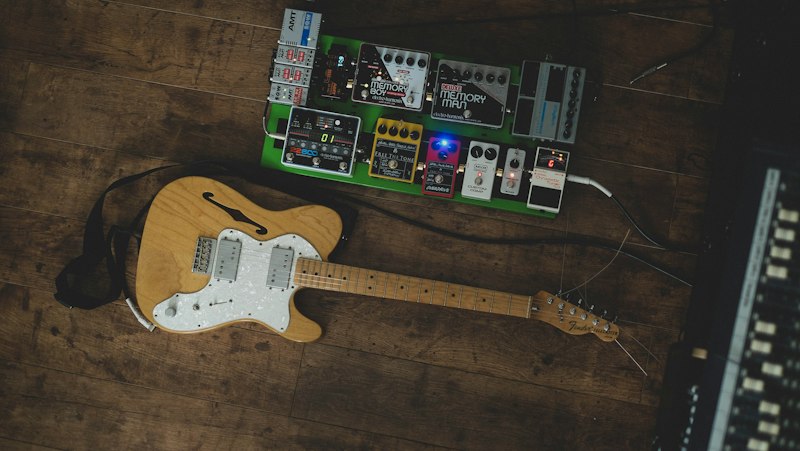
I back up my Quad Cortex before every firmware update. I have a Google Sheet with 847 presets in it, catalogued by genre, gain level, EQ curve, and date created. People find this funny. People find it less funny the first time an update changes something upstream in their signal path and they can't tell whether the preset sounds different or they're imagining it.
Neural DSP released 1.1.0 for Archetype: Misha Mansoor X, Tim Henson X, and Rabea X today. The changelog is mostly good news, and I'll get to it. But one line in it is the kind of thing I write articles about, so let's start there.
The Line That Matters
From the Tim Henson X notes: the Boost and Blend phase alignment was corrected, and this may affect existing presets.
Read that again, because Neural DSP is being unusually direct and the phrasing is doing real work. This is not "we fixed a crash." This is "a signal that was previously arriving out of alignment now arrives aligned, and the sound that comes out the other end is different." If you built presets on the old behavior, you built them around a phase relationship that no longer exists.
Here's why that's a bigger deal than a decimal-point version number suggests.
A Blend control mixes a processed signal against a dry one. When those two paths are phase-aligned, blending adds — you get more of both, and the low end stays solid. When they're misaligned, blending subtracts at certain frequencies. You get comb filtering: a series of notches across the spectrum that thin out the body of the tone, usually gutting somewhere between 100 and 400 Hz where a guitar's weight lives.
Now here's the part that trips people up. Nobody dials a preset in a vacuum. If a plug-in was quietly subtracting low-mids every time you moved the Blend knob, you compensated without knowing it — you added bass on the amp, you nudged a low shelf up, you picked a bassier IR. Your preset sounded right because two errors canceled.
Fix the phase, and only one of those errors goes away. The compensation is still sitting there. The preset that sounded balanced yesterday will sound boomy, thick, and slower in the low end today — not broken, just wrong in a way that's hard to diagnose if you don't know what changed.
If the mechanism is unfamiliar, phase cancellation in dual-amp modeler presets is the same physics in a context you can hear plainly, and Neural DSP's own tooling for this on hardware is covered in the Quad Cortex Phase Doctor walkthrough — worth reading if you're running these presets on a QC rather than in a DAW, because the fix here also lands on the hardware side.
The Ten-Minute Audit
Do this before you go rebuild anything. It's methodical and it's fast, and it beats tweaking blind.
1. Back up your preset folder first. Both plug-in presets and any Quad Cortex captures/presets built around these plug-ins. Do it before you launch the updated version, not after. This is non-negotiable and it costs you thirty seconds.
2. Sort your presets into two piles: Blend at zero, and Blend not at zero. Only the second pile can possibly be affected. On most rigs that's a small minority of presets, which is the good news — this is not a "rebuild everything" event.
3. For each affected preset, listen for low-mid weight, not for "wrongness." Play a palm-muted riff on the low string. The tell is a preset that now sounds fatter and less articulate than you remember. That's your old compensation showing up naked.
4. Undo the compensation at the source you added it. If you added bass on the amp block, take it back down. If you added a low shelf, flatten it. If you swapped to a bassier IR, swap back. Resist the urge to fix it with a new corrective EQ downstream — you'll end up with two EQ moves fighting each other and a preset nobody can maintain. General method for this is in how to dial in a modeler tone: change one thing, listen, write it down.
5. Re-check your gain staging on high-gain patches. More low end reaching a distortion stage means more intermodulation mush. If the preset is a drop-tuned riff patch, dialing in drop-tuned high gain covers the high-pass discipline that keeps that from turning into a wall of noise.
Ten minutes per affected preset, and most of you have three or four. Budget an evening at the outside.
The Rest of the Changelog, Which Is Genuinely Good
I don't want to bury the update under one caveat, because the housekeeping here is the kind of thing that makes a plug-in nicer to live in every day.
Undo/Redo, across all three. An edit history you can step backward through. If you've ever nudged four parameters chasing a sound, lost the thread, and had no way back to the version that was working — this is the fix. It's the single most requested feature in every plug-in forum and it's genuinely overdue.
A real Preset Explorer, on Tim Henson X and Rabea X. Folders in a left-hand panel, search, tagging, and favorites. This is the feature I care about most and it's the one that'll get the least coverage. A preset library you can't query is a preset library you don't use — you end up rebuilding the same tone from scratch because finding the old one is slower than making a new one. Tagging and search change the economics of that.
Tooltips on hover, also on Tim Henson X and Rabea X. Small thing, real thing. These plug-ins have controls whose names don't fully explain them.
Quality-of-life fixes across the board: the manual now opens to the online user manual (so it stays current), Rabea X's Freeze controls grey out when they're disabled instead of sitting there looking active, and Tim Henson X's EQ now labels bands in Hz instead of generic band numbers. That last one sounds cosmetic and isn't — you cannot coordinate a plug-in EQ with anything else in your chain if you don't know what frequency you're at. Now you can carry settings between this and your modeler's EQ blocks without guessing.
Bug fixes: incorrect tooltips, text editor misalignment, tape echo feedback problems, stereo delay issues, and — importantly — Quad Cortex compatibility fixes on all three plug-ins. If you've been running the X-series captures or presets on hardware and hitting oddities, this is the one to grab.
Where This Sits
Point releases are usually not news. This one is, for exactly one reason: a phase correction that the vendor itself flags as preset-affecting is the rare update where doing nothing is also a decision. If you stay on 1.0, your presets keep sounding the way you built them and you don't get undo/redo or the Preset Explorer. If you update, you get real workflow improvements and you owe a handful of your presets ten minutes of attention.
Update. The tooling is worth it and the audit is short. But back up first, and don't let anyone tell you a phase fix is cosmetic — it's one of the few changes in a signal chain that alters the sound without touching a single parameter you can see.
If you're working in the Misha Mansoor X specifically and want the underlying tone architecture rather than just the changelog, the Periphery djent tone breakdown covers what that voice is actually built from. And if this whole episode has you curious about where else parallel paths might be quietly costing you low end, parallel amp routing on a modeler is the same trap in a different room.
Version-control your presets. This is why.


