The Guitar's Frequency Footprint
An electric guitar is not a full-range instrument. The lowest fundamental on a standard-tuned six-string is the open low E at 82 Hz. The highest fundamental on the 24th fret of the high E string is around 1,319 Hz. That is a narrower fundamental range than most players assume: roughly 80 Hz to 1.3 kHz.
But fundamentals are only part of the story. Every note your guitar produces generates harmonics (integer multiples of the fundamental frequency that extend well above the fundamental itself). The second harmonic of that open low E sits at 164 Hz, the third at 246 Hz, and so on up through the audible spectrum. Pick attack transients, string noise, and amp distortion push usable harmonic content to 12 kHz and beyond. The range that actually matters for guitar tone stretches from about 80 Hz to 12 kHz, with the most critical decisions happening between 200 Hz and 5 kHz.
Understanding what lives in each frequency band is the difference between EQ moves that work and EQ moves that make things worse. Here is the map.
The Frequency Bands That Shape Guitar Tone
Sub Bass: Below 100 Hz
This is where mud lives. On a standard-tuned guitar, only the open low E (82 Hz) and the notes immediately above it have fundamentals in this range. The energy down here is almost entirely low-frequency rumble, handling noise, electrical hum, and the loose, unfocused bottom end that makes a guitar tone sound bloated in a full mix.
Cut it. A high-pass filter set between 80 and 100 Hz removes content that your guitar cab was never designed to reproduce and that competes directly with the bass guitar and kick drum. On a modeler, place this filter early in the chain, before the amp block if possible. On a pedalboard, a parametric EQ pedal or a dedicated high-pass filter handles the job. For extended-range and drop-tuned applications, the gain staging guide for drop tunings covers sub-bass management in more detail.
The exception: if you are playing solo with no bass player and want a full, warm sound, you can leave this range alone. In any band context, it goes.
Low Mids: 200-500 Hz
This is the body of the guitar. The warmth of a jazz tone, the chunk of a rhythm part, the fullness that separates a real amp from a cheap practice speaker. It all lives here. The second and third harmonics of your lowest strings concentrate energy in this range, and it is where the perceived weight of the instrument comes from.
The problem is that 200-500 Hz is also where boxiness accumulates. Too much energy here and the guitar sounds like it is playing inside a cardboard box: honky, congested, and undefined. Too little and the tone becomes thin and papery, which is one of the most common complaints about modeler tone that sounds thin.
The solution is rarely a broadband boost or cut. It is a targeted adjustment. Around 250 Hz is where boxiness tends to concentrate. A narrow 2-3 dB cut at 250 Hz removes the congestion without losing the warmth that lives at 350-400 Hz. If you cut the entire 200-500 Hz range, you will solve the boxiness and create a new problem: a tone with no body that disappears behind the vocal and snare drum.
Mids: 500 Hz - 1 kHz
This is the guitar frequency. If someone asks where electric guitar lives in a mix, point here. The 500 Hz to 1 kHz range is where the instrument's fundamental character asserts itself: the thickness of a Les Paul, the honk of a Stratocaster middle pickup, the woody midrange of a semi-hollow. It is the range that makes a guitar audible in a dense arrangement without being loud.
Boosting here pushes the guitar forward in a mix. Cutting here buries it. Many "bedroom tone" presets scoop this range because scooped mids sound impressive when you are playing alone (wider, more hi-fi, more "produced"). In a band mix, scooped mids disappear. The guitar becomes a texture instead of a voice.
If your guitar is getting lost in the mix, this is the first place to look. A 2-4 dB boost at 700-800 Hz with a moderate Q (around 1.0) will push the guitar forward without making it nasal. This single move fixes more "buried in the mix" problems than any other EQ adjustment. The guide to dialing in modeler tone covers this principle as part of a broader signal chain strategy.
Upper Mids: 1-4 kHz
Pick attack lives here. The initial transient of a picked note (the snap of the string hitting the fret, the click of the pick engaging the string) is concentrated between 1 and 4 kHz. This range determines whether your playing sounds articulate or mushy, whether individual notes in a chord are distinguishable or blurred together.
Around 2-3 kHz is where the human ear is most sensitive. Boost here and the guitar cuts through anything. But too much boost in this range creates a harsh, honky quality that causes ear fatigue fast. It is the frequency of a crying baby, and your audience's ears will react the same way.
The sweet spot is a modest presence: enough to define pick attack and chord separation, not so much that the tone becomes aggressive and fatiguing. For lead tones, a 2-3 dB boost at 2.5-3 kHz adds clarity to single-note lines. For rhythm, keep this range flatter and let the 500 Hz-1 kHz range do the work.
Presence: 4-8 kHz
Air, sparkle, and (if you are not careful) fizz. The 4-8 kHz range is where a guitar tone transitions from warm and smooth to bright and cutting. Acoustic shimmer, the sizzle of a bridge pickup, and the "glass" in a clean Fender tone all live here.
This range is also where digital fizz concentrates in modeler tones. A harsh, papery, artificial quality in the 5-6 kHz region is the most common complaint about digital amp modeling. The problem is usually not the modeler itself but a combination of cab IR selection and too much energy in this range. A gentle 2-3 dB cut at 5.5-6 kHz with a moderate Q tames fizz without killing the sparkle. The fizzy modeler tone guide addresses this specific issue in depth.
On tube amps, the Presence knob on the back panel directly controls this range. On modelers, it is the same parameter, and it interacts with the cab sim more than most players expect. Dial the amp's presence to taste, then make final adjustments with a parametric EQ after the cab block.
High End: 8 kHz and Above
String noise, pick scrape, fret buzz, amp hiss, and the noise floor of every gain stage in your chain. Very little musically useful guitar content exists above 8 kHz. What does exist is transient detail: the extreme top of pick attack, the shimmer of harmonics, and the air that makes a recorded tone sound like it was captured in a real room.
A low-pass filter between 8 and 12 kHz removes high-frequency noise without audibly changing the guitar tone. On modelers, many cab IRs already roll off steeply above 8-10 kHz. If yours does not (particularly with third-party IRs that capture full-range response), add a low-pass filter after the cab block.
Where to EQ: Before the Amp, In the Amp, After the Amp
EQ placement changes what EQ does. The same 3 dB boost at 800 Hz produces completely different results depending on where it sits in the signal chain.
Before the Amp
EQ before the amp shapes what the amp receives. This affects how the preamp distorts, which harmonics it generates, and how the gain stages interact with the frequency content of the signal. A bass cut before the amp tightens the distortion character. A mid boost before the amp pushes the preamp harder in the midrange, creating more harmonic saturation in the frequencies that cut through a mix.
This is where high-pass filters and overdrive pedals belong. Think of pre-amp EQ as tone shaping at the source; it determines the raw material the amp works with.
In the Amp (Tone Stack)
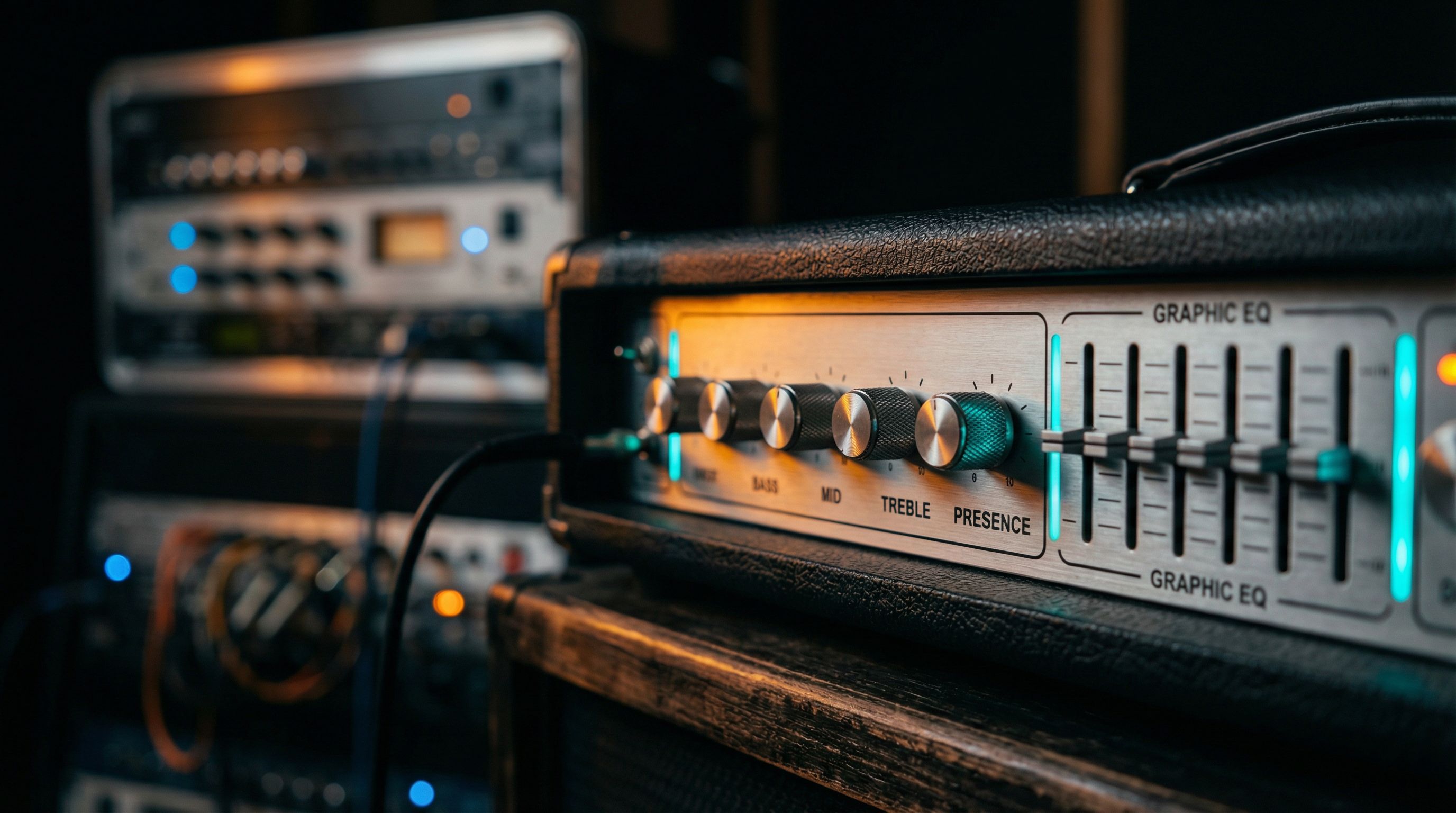
The amp's built-in EQ (Bass, Mid, Treble knobs, sometimes a Presence control) sits between the preamp stages. Its position in the circuit varies by amp design, but in most topologies, the tone stack operates within the gain staging rather than after it. This means the amp's EQ affects both the tonal character and the gain response simultaneously.
On a modeler, the amp model's tone controls replicate this behavior. Cutting bass on the amp model does not just reduce bass; it changes how the preamp stages interact, which changes the feel of the distortion. This is why amp tone controls sound and feel different from a parametric EQ block doing the same frequency adjustment.
Use the amp's tone controls for broad character shaping. Get the fundamental voice right here, then refine with external EQ.
After the Amp (Post-Cab EQ)
EQ after the amp and cab shapes the finished tone. It does not change the distortion character or the amp's response; it adjusts what leaves the speaker simulation. This is where surgical moves happen: taming fizz, removing boxiness, adding presence, carving space in a mix.
On a modeler, place a parametric EQ block after the cab/IR block. On a real rig, this would be EQ in the effects loop (after the preamp) or EQ applied during mixing.
Most of your corrective EQ should happen here. The amp's tone controls set the voice. The post-cab EQ makes it sit right.
Practical EQ Fixes for Common Problems
Problem: Muddy Tone
The guitar sounds thick and undefined, especially on lower strings and chords.
- High-pass filter at 80-100 Hz, 12 dB/octave slope
- Cut 2-3 dB at 200-250 Hz with a narrow Q (1.5-2.0)
- Check that the amp's bass knob is not above noon; back it off to 9-10 o'clock
- Verify your cab IR is not a bass-heavy capture (oversized cabs and open-back 1x12s tend toward muddy low-end)
Problem: Fizzy, Harsh Highs
The tone has an artificial, papery quality on sustained notes and gets worse with gain.
- Cut 2-4 dB at 5-6 kHz with a moderate Q (1.0-1.5)
- Add a low-pass filter at 9-10 kHz
- Reduce the amp's Presence and Treble controls; start by pulling Presence back to 9 o'clock
- Try a different cab IR. This is frequently an IR problem, not an amp problem. The fizzy tone diagnosis guide walks through the full troubleshooting process.
Problem: Harsh Only Through the PA
The rig sounds fine in headphones or in the room and turns into an ice pick the moment it hits a live PA. This is not the same problem as fizz, and it needs a different cut. Two bands are responsible, and a bright PA in a hard room exaggerates both: an upper-mid stab around 2.5-4 kHz (the ice pick) and the fizz band around 6-8 kHz. Headphones are polite about both; front-of-house is not.
- Kill the fizz first: high cut on the cab or IR, pulled down to 6.5-7 kHz
- If a stab remains, add a narrow 2-4 dB dip at 3 kHz with a tight Q — the ice pick is a spike, not a broad range, so do not scoop the whole midrange
- Make the cut at the cab, or in an EQ placed after the amp and before delay and reverb, so the harshness never feeds the effects
- Leave Treble and Presence where they sounded good; the harshness is not in the amp voicing. The worship-through-a-bright-PA quick fix walks the full diagnosis with per-platform settings
Problem: Buried in the Mix
The guitar sounds good alone but vanishes when the bass, drums, and vocals come in.
- Boost 2-4 dB at 700 Hz-1 kHz. This pushes the guitar into its natural frequency space
- Cut 2 dB at 250 Hz. This clears space that the bass guitar occupies
- Avoid scooped-mid presets. They are the primary cause of this problem
- Consider a slight boost at 2.5-3 kHz for pick attack definition
Problem: Thin, No Body
The tone sounds weak, papery, and lacks weight. Common on modelers when the signal chain is misconfigured.
- Boost 2-3 dB at 350-500 Hz for warmth and body
- Check that a cab block is active and set to a full-size speaker (a 4x12 or 2x12 with Vintage 30s or Greenbacks adds low-mid resonance that smaller cabs lack)
- Verify the amp's gain is not set too low. Some models need to reach a minimum threshold before they generate harmonic density. The thin tone fix guide covers the five most common causes.
- Add a slight mid boost at 800 Hz to restore presence
EQ on Modelers: Parametric vs. Graphic
Modeler platforms like Helix and Quad Cortex offer both parametric and graphic EQ blocks. They are not interchangeable.
Parametric EQ lets you set the exact center frequency, gain, and bandwidth (Q) of each band. This is the precision tool. Use it for surgical corrections: cutting a specific problem frequency, boosting a narrow range for presence, setting high-pass and low-pass filters with specific slopes. Most corrective EQ work should be parametric.
Graphic EQ divides the spectrum into fixed frequency bands (typically 8 or 10 bands) and lets you boost or cut each one by a set amount. This is the broad-stroke tool. Use it for overall tonal shaping: scooping mids for metal rhythm, creating a mid-hump for blues leads, or implementing a genre-specific EQ curve as a starting point.
Where to place EQ in the modeler chain:
| Position | EQ Type | Purpose |
|---|---|---|
| Before amp block | Parametric | High-pass filter, pre-amp tone shaping |
| After cab/IR block | Parametric | Surgical corrections: fizz, mud, honk |
| End of chain | Graphic or Parametric | Final tonal shaping, mix-ready adjustments |
You can use multiple EQ blocks. A high-pass filter before the amp and a parametric EQ after the cab is a standard two-block approach that covers most needs. On Helix, the Parametric EQ uses minimal DSP. On Quad Cortex, the EQ blocks are computationally light. Do not hesitate to use two or three in a single preset.
Genre-Specific EQ Starting Points
These are starting points, not prescriptions. Every guitar, pickup, and amp combination responds differently. Use these as a baseline and adjust to taste.
Blues
Blues tone favors warmth, vocal-like midrange, and smooth highs. The goal is a tone that sings on single notes and sounds thick on double stops without getting harsh.
- Low cut: 90 Hz high-pass
- Low mids: Slight boost (+2 dB) at 400 Hz for warmth
- Mids: Boost (+2-3 dB) at 800 Hz for vocal presence
- Upper mids: Flat or slight cut at 2-3 kHz; let the amp's natural breakup provide the edge
- Presence: Roll off above 6 kHz; blues tone should feel warm, not bright
Metal
Metal demands clarity in the low end, aggressive midrange cut for tightness, and controlled high-end presence. The mid-scoop is a tool, not a default. Use it deliberately.
- Low cut: 100-120 Hz high-pass (higher for drop tunings; see the drop tuning gain staging guide)
- Low mids: Cut (-3 dB) at 250 Hz to remove boxiness
- Mids: Scoop (-2 to -4 dB) at 600-800 Hz for tightness, but do not overdo it or the guitar vanishes in the mix
- Upper mids: Boost (+2-3 dB) at 2-3 kHz for pick attack
- Presence: Cut (-2 dB) at 5-6 kHz to control fizz under high gain
Country
Country tone is about clarity, twang, and a glassy top end. The Telecaster bridge pickup into a clean Fender-style amp is the reference. The EQ should enhance that natural brightness.
- Low cut: 100 Hz high-pass
- Low mids: Flat to slight cut at 300 Hz; country tone should be lean, not thick
- Mids: Flat at 500-800 Hz; let the natural character of the guitar speak
- Upper mids: Boost (+2 dB) at 2-4 kHz for pick definition and twang
- Presence: Boost (+2-3 dB) at 5-7 kHz for sparkle and snap
Worship
Worship guitar sits in a specific sonic space: ambient, wide, and present without being aggressive. The tone supports the mix rather than dominating it, with enough clarity to cut through pads and keys.
- Low cut: 100-120 Hz high-pass. Critical for staying out of the keys and bass frequency range
- Low mids: Slight cut (-2 dB) at 300 Hz to keep the tone from getting muddy under heavy reverb and delay
- Mids: Slight boost (+2 dB) at 700-900 Hz for presence without aggression
- Upper mids: Flat to slight boost at 2-3 kHz; enough to hear the part clearly
- Presence: Boost (+2-3 dB) at 5-7 kHz for the shimmer that defines the worship sound
The One Rule That Makes EQ Work
Cut before you boost. Every frequency range has content competing for space. When you boost a frequency, you add energy to the signal. When you cut a competing frequency, you reveal what is already there. A 3 dB cut at 250 Hz and a 2 dB boost at 800 Hz accomplishes more than a 5 dB boost at 800 Hz alone, and it does it without adding noise, clipping headroom, or making the overall signal louder.
Start with your amp tone controls set at noon. Play through the full range of your guitar. Identify what bothers you (not what sounds good, but what sounds wrong). Cut that first. Then boost only what is missing after the cuts. This subtractive approach produces cleaner, more natural-sounding results than additive EQ, and it leaves more headroom in your signal chain for everything else.
EQ is not about making the guitar sound good in isolation. It is about making it sit correctly alongside everything else. A tone that sounds thin and underwhelming on its own might be exactly right in a full band mix. A tone that sounds massive alone might be a muddy mess with a bass player and drummer. Always EQ in context when you can. When you cannot, err on the side of less low end and more midrange than you think you need. You can explore the full range of tonal options in the tone browser to hear how different EQ approaches interact with various amp and effect combinations.