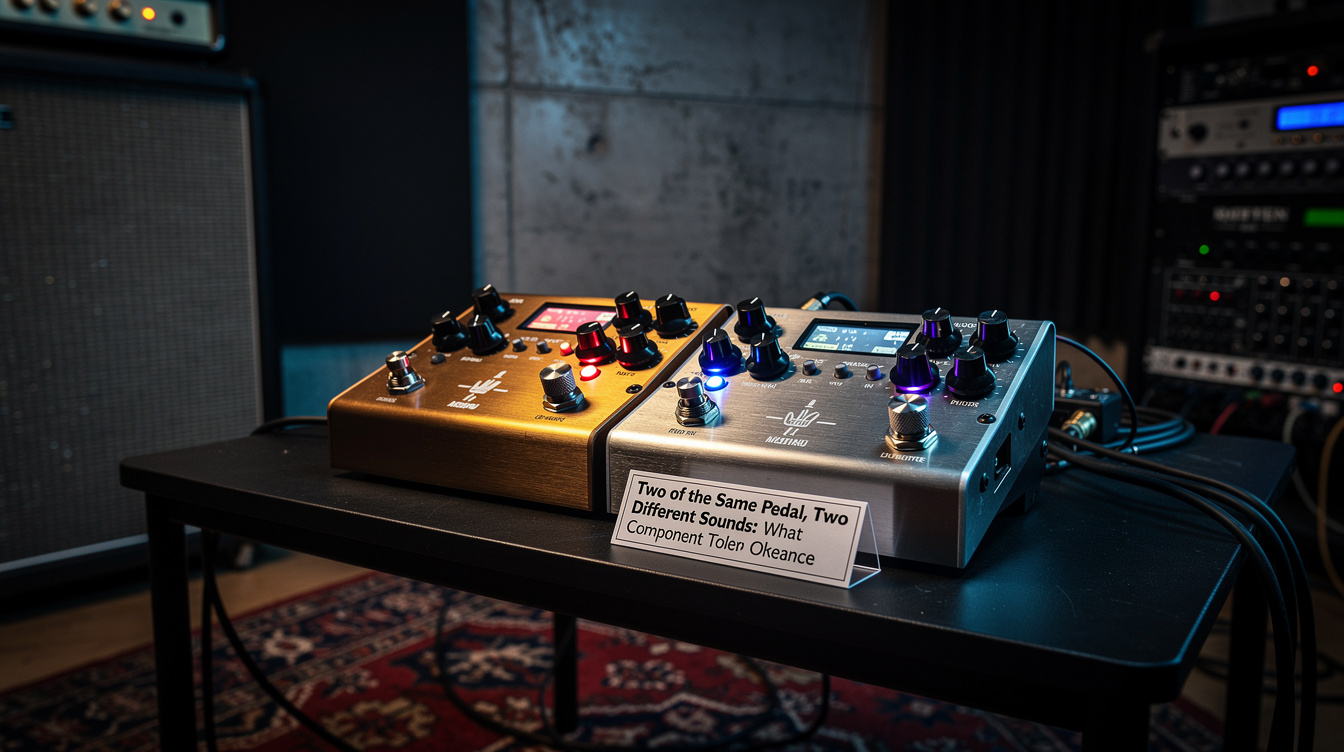
Quick read: The TC Electronic Plethora X3 ($299 street) holds three TonePrint slots from TC's pedal catalog, runs them in any order, and gives you a USB connection to the TonePrint editor for deep parameter editing. It's a flexible system that requires the player to invest time in the TonePrint workflow. The Mooer Red Truck ($329 street) is a five-effects-in-one unit (boost, overdrive, distortion, modulation, delay/reverb) plus an amp-sim line out, all immediately usable from the front panel with no editing required. Buy the Plethora X3 if you want to build a custom three-pedal board from TC's catalog and you'll actually spend the time learning the TonePrint editor. Buy the Red Truck if you want a five-effect multi-pedal that works the moment you plug it in, no software, no menu diving. Different design philosophies for a similar price; the right choice is whichever workflow you'll actually use.
| Spec | TC Plethora X3 | Mooer Red Truck |
|---|---|---|
| Street price (May 2026) | $299 | $329 |
| Effects count | 3 (any TonePrint, any order) | 5 (fixed: boost, OD, dist, mod, delay/rev) |
| Buffered/true bypass | Selectable per slot | True bypass |
| Power | 9V DC, 200 mA | 9V DC, 500 mA |
| Dimensions (W×D×H) | 9.8 × 5.3 × 2.6 in | 13.2 × 5.7 × 2.5 in |
| Weight | 2.2 lbs | 3.2 lbs |
| MIDI | Yes (in/out) | No |
| Amp-sim DI out | No (audio out only) | Yes (3-position cab sim selector) |
| Tap tempo | Yes (dedicated footswitch) | Yes (dedicated footswitch) |
| Editor software | TC TonePrint Editor (free) | None |
| Tuner | Yes (dedicated) | Yes (dedicated) |
The "one floor unit instead of a board" category is the most crowded budget pedal segment in 2026. The Plethora X3 and the Red Truck are the two units in the $300-350 tier that dominate the conversation, and they take fundamentally different approaches to what an all-in-one unit should be. The Plethora is a flexible canvas that requires investment to fill; the Red Truck is a finished product that requires no investment at all. Most players buy one of these and never look back, which makes the upfront decision important.
What the Plethora X3 Actually Is
The Plethora X3 is a hardware host for three TC Electronic TonePrint pedals. TonePrint is TC's software ecosystem. Every TC pedal in the modern catalog (Hall of Fame, Flashback, Hyper Gravity, Helix, Sub'N'Up, MojoMojo, Quintessence, etc.) is "loadable" into the Plethora as a slot. The Plethora has three slots; you can load any three TonePrints into them, run them in any order, and switch between them on the front panel.
The catch is that you have to spend time building the loadout. Out of the box, the Plethora X3 ships with three sensible default TonePrints (a delay, a reverb, an overdrive). If you want anything else (a tremolo, a chorus, a different overdrive voicing), you connect to TC's TonePrint editor on a Mac or PC, browse the catalog of 100+ TonePrints, drag the ones you want into the slots, and save the loadout to the pedal.
The TonePrint editor itself is excellent. Each TonePrint exposes 8-12 deep parameters that the front panel doesn't show. You can edit the modulation depth on a delay's modulation block, change the high-cut filter on a reverb tail, adjust the saturation character of an overdrive. This goes far beyond what most pedalboard pedals let you do. For a player who wants to dial in a specific tone with engineering-level control, the TonePrint editor is the most powerful workflow in the multi-effects category at this price.
The downside is that the editor is required for any meaningful customization. The front panel knobs control the loaded TonePrint's primary parameters, but the deep editing happens on the computer. If you don't connect the Plethora to a computer, you're stuck with whatever TonePrints are loaded and whatever the front panel exposes, which is much less than the unit can do.
What the Red Truck Actually Is
The Red Truck is a five-effects-in-one floor unit with five always-available pedals: boost, overdrive (Tube Driver-style), distortion (Marshall-style), modulation (chorus/phaser/tremolo selectable), and delay/reverb (selectable, with one occupying the slot at a time). Each effect has dedicated front-panel knobs and a dedicated footswitch. There's also a tuner, a tap tempo, and a 3-position cab-sim DI output for going direct to PA.
You plug the Red Truck in, set the knobs where you want them, and play. There is no menu, no editor, no firmware to update, no TonePrint catalog to browse. The five effects are what they are. If you want a different overdrive voicing, you don't get one. The Red Truck's overdrive is a Tube-Driver-style circuit and that's the entire variation available to you.
What this gives up in flexibility, it gains in immediacy. A player who wants a multi-pedal floor unit for a casual gig, an open mic, or a song-circle setup at a Saturday afternoon jam plugs into a Red Truck once and never thinks about it again. The Mooer Audio team designed the Red Truck for the player who wants to stop thinking about gear, not the one who wants to dial in.
The cab-sim DI output is the Red Truck's signature feature. The unit has a dedicated balanced XLR output with a 3-position cab-sim switch (American, British, Modern). You can plug the Red Truck directly into a PA mixer or a recording interface and have a usable rig (no amp, no FRFR, no laptop). For a player who plays small acoustic-style gigs and wants electric guitar capability without bringing an amp, the Red Truck doubles as a complete portable rig.
The Workflow Difference
The clearest way to choose between these two pedals is to ask which workflow you'll actually use.
The Plethora X3 workflow:
- Buy the unit.
- Take it home.
- Connect to TC's TonePrint editor on your computer.
- Browse the catalog of 100+ TonePrints.
- Decide which three pedals you want for your sound.
- Drag them into the three slots.
- Adjust the deep parameters of each TonePrint.
- Save the loadout to the pedal.
- Disconnect from the computer and play.
- Eventually want to swap one of the slots: go back to step 3.
The Red Truck workflow:
- Buy the unit.
- Take it home.
- Plug in.
- Set the knobs where you want them.
- Play.
If the Plethora X3 workflow sounds appealing (if the idea of sitting at your computer for 90 minutes browsing TonePrints sounds like a fun Saturday afternoon), buy the Plethora. The customization payoff is real and the editor is genuinely good.
If the Plethora X3 workflow sounds like work (if you'd rather plug in and play and never think about software), buy the Red Truck. The five effects are well-chosen, the front panel is intuitive, and the unit gets out of your way.
Sound Quality
Both units sound good. Neither is best-in-class for any single effect, but both are competent across their full range.
The Plethora's TonePrints are based on TC's discrete-pedal designs (the Hall of Fame reverb, the Flashback delay, the Hyper Gravity compressor, the MojoMojo overdrive). Each of these pedals has been a respectable mid-tier option for a decade, and the Plethora gives you three of them in one box. The sound is clean, professional, and slightly clinical in the way TC's catalog tends to be: accurate, predictable, and not very colorful.
The Red Truck's effects are Mooer's own designs (loosely based on classic circuits: the OD is Tube Driver-coded, the distortion is Marshall-coded, the modulation block covers MXR-style chorus and phaser). They sound like Mooer pedals do: surprisingly good for the price, with a slightly more colored character than TC's TonePrints. The delay block is the weakest of the five; it does the job but doesn't have the depth of the dedicated Mooer Reecho or the Plethora's Flashback TonePrint.
If sound quality is the deciding factor, neither pedal wins clearly. They're both competent and the differences come down to taste. The Plethora is more transparent; the Red Truck is more characterful. Neither is clearly "better."
The DI Output Question
The Red Truck's cab-sim DI output is the single feature that doesn't have an equivalent on the Plethora X3. If you need to go direct to a PA or interface, the Red Truck has a dedicated XLR balanced output with three switchable cab-sim voicings (American, British, Modern). The cab sims are Mooer's own and they sound about as good as a cheap modeler's cab sims: usable but not professional-grade.
The Plethora X3 has only audio outputs (1/4-inch unbalanced) and assumes you're going into an amp or an FRFR cab with its own cab simulation. If you want to go direct from a Plethora, you need to add a separate cab-sim pedal or a small modeler in front of the PA, which means buying another piece of gear and managing another power slot on your board.
For a player who plays small gigs without an amp on stage, the Red Truck's DI is a meaningful feature. For a player who always plays through an amp or an FRFR cab, the Plethora doesn't lose anything by skipping the DI.
The MIDI Question
The Plethora X3 has both MIDI input and MIDI output, which makes it integratable with a larger pedalboard system. You can switch presets via MIDI from a master controller, send program changes to other MIDI-capable pedals, and use the Plethora as a sub-system in a more complex rig.
The Red Truck has no MIDI. The footswitches on the front panel are the only way to control it.
For a player building a board around a master MIDI controller (Boss ES-8, Disaster Area MC-8, or a Helix used as a MIDI brain), the Plethora's MIDI is a meaningful feature. For a player who uses the floor unit as the entire pedalboard, MIDI doesn't matter.
Build Quality
Both units have aluminum chassis, sturdy footswitches, and solid knobs that haven't broken in any of the long-term reviews I've read. The Plethora is slightly more compact (9.8 inches wide vs. 13.2) and slightly lighter (2.2 lbs vs. 3.2). The Red Truck is built like a tank in the way Mooer's larger products tend to be: heavier feeling, more solid, with the kind of weight that suggests durability.
Neither unit has had widespread reliability problems in the four years they've been on the market. Both should last a decade with normal use.
When the Plethora X3 Is the Right Buy
The Plethora is the right pedal in any of these scenarios:
- You want a customizable three-pedal board in one box. The TonePrint catalog gives you 100+ effect choices and you can swap them at will.
- You're already in the TC ecosystem. If you own a Hall of Fame, a Flashback, or a Sub'N'Up and you like the way TC's pedals sound, the Plethora extends that ecosystem into a multi-pedal format.
- You'll actually use the editor. If "spending Saturday afternoon dialing in deep parameters on a software editor" sounds appealing rather than tedious, the Plethora rewards the investment.
- You need MIDI integration. For boards built around a MIDI controller, the Plethora's MIDI in/out is essential.
- You play through an amp or FRFR cab. The Plethora doesn't have a DI, so you need an amp or a separate cab sim in your signal chain.
When the Red Truck Is the Right Buy
The Red Truck is the right pedal in any of these scenarios:
- You want a complete pedalboard in one box that works immediately. Five effects, one tuner, one DI, one tap tempo, all front-panel controls.
- You play small gigs without an amp. The cab-sim DI lets you plug straight into a PA or coffeehouse mixer.
- You hate computer-based pedal editors. No software is required for any of the Red Truck's features.
- You want a portable backup rig. The Red Truck plus a laptop interface plus a guitar is a complete recording rig in a backpack.
- You're building a fly-rig. For travel guitarists who fly to gigs and want to bring as little as possible, the Red Truck-as-pedalboard plus a borrowed amp covers most needs.
What If You Want Both Workflows
A reasonable answer for a player who can't choose: skip both and build a small board out of individual Mooer Micro pedals or TC mini pedals. Our Mooer pedal catalog roundup walks through the eight Mooer Micro pedals worth buying, and our TC Electronic Tonepedal series vs. Mooer Micro comparison covers the head-to-head choice between TC's similarly-priced micro line and Mooer's. A custom three-or-four-pedal micro board lands in the same $300-350 price range as either the Plethora X3 or the Red Truck, with the advantage that each pedal is independent and can be swapped or upgraded individually.
The argument for the all-in-one units is integration: one power supply, one set of footswitches, one chassis. The argument for the discrete-pedal board is modularity: replace one pedal without replacing the whole rig. Neither approach is wrong; they fit different player philosophies.
So Which One Should You Buy
If you want immediate gratification, a built-in DI, and a finished product that works the moment you plug in: buy the Mooer Red Truck. The five effects are well-chosen for the most common use cases, and the workflow is the simplest in the category.
If you want flexibility, deep parameter control, MIDI integration, and you'll actually invest the time in the TonePrint editor: buy the TC Electronic Plethora X3. The customization payoff is real if you'll do the work to unlock it.
If you don't know which one you are: buy the Red Truck. The Plethora's flexibility is worth nothing to a player who never opens the editor, and most players don't open the editor as often as they think they will. The Red Truck's "no editor" workflow is honest about how most players actually use a multi-effects unit: turn it on, set the knobs, play. The pedal that gets used is better than the pedal that could theoretically do more.