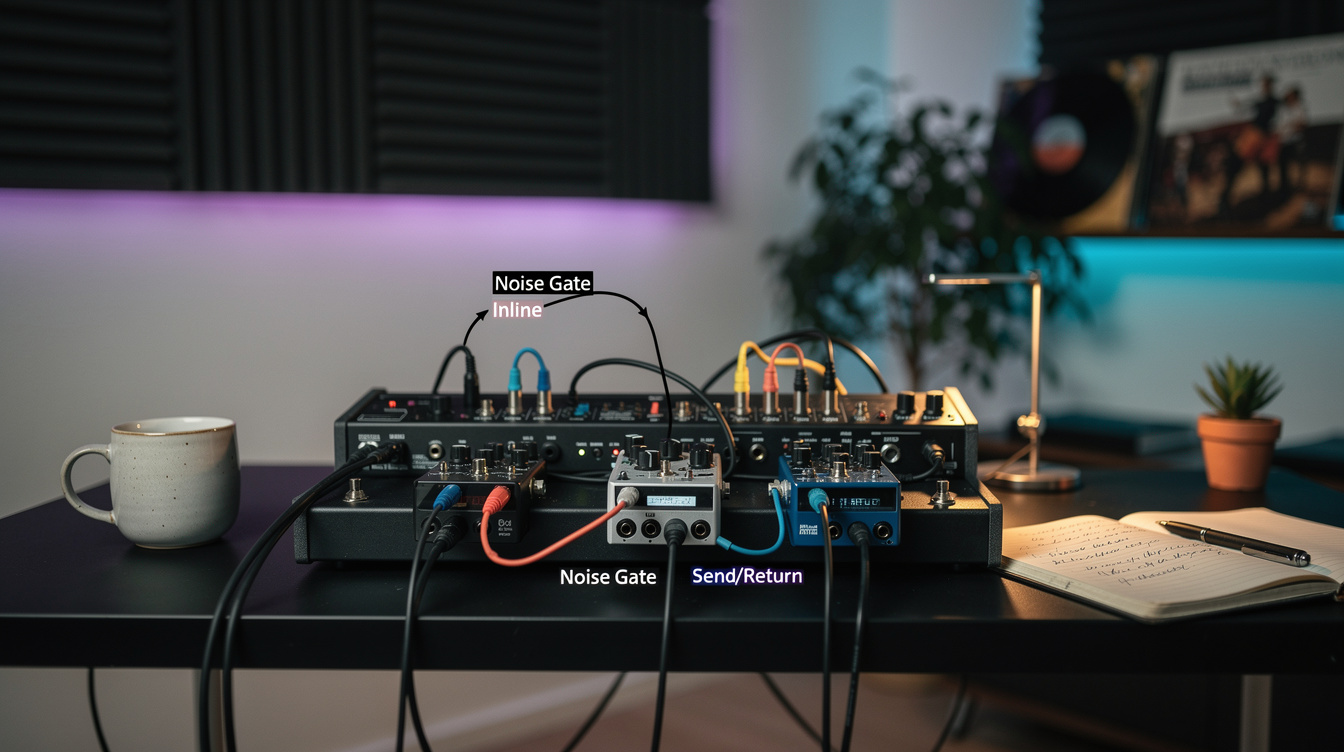
A noise gate that chatters, stutters, or chops the tail off your sustained notes isn't a bad gate — it's a gate placed where it can't do its job. The whole problem comes down to one mismatch: the gate works best when it reads a clean signal but mutes a dirty one, and putting it inline forces it to do both jobs on the same heavily distorted signal at once. The send/return method, often called the 4-cable method, splits those two jobs apart. Here's why that matters and exactly how to wire it on both a pedal rig and a modeler.
The Short Answer
| Inline (single cable) | Send/Return (4-cable) | |
|---|---|---|
| What the gate detects | The distorted signal | Your clean guitar signal |
| Where muting happens | At the gate's spot in the line | After the distortion, in the loop |
| Tracking accuracy | Poor — distortion flattens dynamics | Accurate — clean signal has clear envelope |
| Chatter / early cutoff | Common on high gain | Largely solved |
| Setup | Simple, one cable | Four cables, more involved |
A gate makes better decisions when it watches your clean signal. That's the entire reason the 4-cable method exists. Everything below is the why and the how.
Why Inline Placement Fights You
Distortion compresses. By the time your signal has gone through a high-gain pedal or preamp, a sustaining note and the noise floor are nearly the same level — the gain stage has squashed the dynamic range that the gate relies on to tell them apart. So an inline gate sitting after your distortion is trying to find the edge between "note" and "noise" in a signal where that edge has been smeared. The result is the classic failure mode: the gate stutters around the threshold, or it slams shut while a note is still ringing because the decay crossed the line too early.
Putting the gate before the distortion is worse in a different way — there's almost no noise to catch yet, because the hiss and hum are mostly generated by the gain stage. You'd be gating a clean signal and then amplifying the noise the gate was supposed to stop. The noise is downstream of where you put the tool.
How the Send/Return Method Splits the Job
The send/return method uses a gate that has, in effect, two connection points: a detector path and a mute path. The detector taps your clean guitar signal at the front of the chain — full dynamic range, clear envelope, easy to track. The mute happens later, after the distortion, where the noise actually lives. The gate decides when to open based on the clean signal, and acts on the dirty signal.
On a pedal-and-amp rig with a series effects loop, the four cables run like this:
- Guitar → gate input. The gate now sees your clean signal and uses it to detect when you're playing.
- Gate send → amp input. Your clean signal continues to the amp's front end as normal.
- Amp loop send → gate return. The post-preamp signal — distortion and all — comes back to the gate's mute stage.
- Gate return output → amp loop return. The gated, quiet signal goes back into the power amp.
The gate is now reading the clean signal at the input and clamping the distorted signal in the loop. It knows you've stopped playing the instant your clean note decays, not whenever the compressed distorted tail finally drops — which is why the chatter disappears and the sustain survives. This relies on your amp having a series effects loop; if yours is parallel, the routing changes, and the series vs. parallel loop distinction decides how you patch it.
The Surprise: The Threshold Problem Was Never About the Threshold
The first time I fought a chattering gate, I assumed the answer was a more precise threshold — inch it up until the stutter stops. It never fully did. Set it high enough to kill the chatter and it ate the ends of my notes; set it low enough to keep the sustain and the chatter came back. There was no single number that worked, because the signal it was reading didn't have a clean threshold to find.
Rewiring the same gate with the send/return method made the threshold control suddenly behave. With the detector on the clean signal, there was a real, wide gap between "playing" and "silent," so a threshold set in the middle of that gap was stable — no stutter, no early cutoff, sustain intact. The lesson generalizes: when a control feels impossible to dial in, check whether the tool is even looking at the right signal before you keep turning the knob.
If You Only Have a Single-Input Gate
Not every gate supports the 4-cable routing, and that's fine — most rigs run a simpler inline gate and sound great. With a single-input gate, the rule is: put it where the noise is made and before your time-based effects. That means after your distortion or preamp (in the loop if the noise is preamp-generated, in line after a distortion pedal if that's your source), and ahead of delay and reverb so the gate doesn't chop your trails. The threshold-and-decay tuning from there is its own job, covered in noise gate threshold and decay settings. And keep expectations honest: a gate mutes the gaps, it doesn't remove the noise — the gate vs. suppressor breakdown covers what each actually does.
The Modeler Version
On a modeler the 4-cable method becomes a block-placement decision and you don't need any cables at all. Place a gate block immediately after the input so it reads your clean signal — that alone gives you the accurate-detection benefit, because the block sees the dynamics before any amp or drive block compresses them. For very high-gain presets, add a second gate block after the amp block to catch the noise the modeled gain stage adds, which is the standard two-gate modeler approach. If your modeler's gate offers a key or sidechain input, feed it the clean signal and you've rebuilt the send/return detector exactly, in software.
What to Do Next
If your gate chatters or kills sustain, stop adjusting the threshold and check what signal it's detecting first. On an amp rig with a series loop and a send/return-capable gate, wire the 4-cable method and let the gate read clean while it mutes dirty. On a single-input gate, move it after your distortion and before your delay. On a modeler, gate at the input, add a second after the amp if you're chasing modern high-gain quiet. The threshold knob only works once the gate is looking at the right thing.