Quick read: A voiced FRFR cab — Quilter Aviator Cub in Voice 2 or 3, Friedman ASM-12, Headrush 112 — has its own speaker-emulated response built into the hardware. If you run a modeler preset with its cab IR active into a voiced FRFR, you stack two speaker simulations: the IR in the preset, plus the FRFR's voicing. The result is muffled, over-mid, and noticeably "covered." The fix is to bypass the cab IR block in every preset and rebuild the EQ around the FRFR's voicing — treble cut by 2-3 dB, bass cut by 1-2 dB, mid frequency at 1 kHz pulled down by 1-2 dB. The rebuild is per-preset on Helix and Quad Cortex (no global cab-bypass switch). Most players end up with two preset banks: one for FRFR use with cabs bypassed, one for studio direct with cabs enabled. The work is tedious (30 seconds per preset, times 40 presets) but the result is a preset library that sounds correct through the FRFR you actually bought.
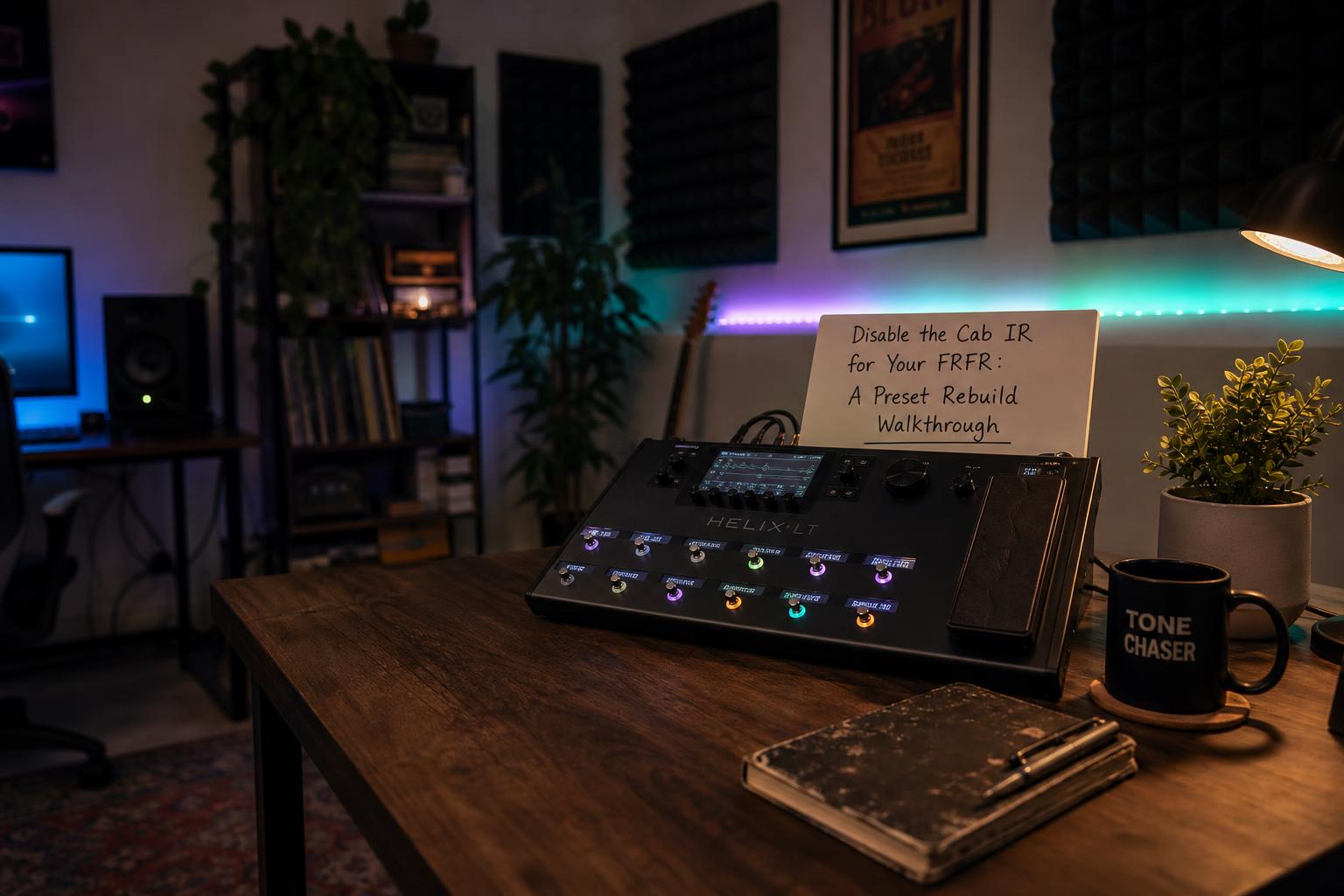
The FRFR cab placement piece flagged the cab-IR-vs-voiced-FRFR mismatch as a separate problem requiring a separate solution. This is that solution: the preset rebuild walkthrough that follows when you decide to disable the cab IR for use with a voiced FRFR.
The issue is double-cab voicing. A modeler preset is a signal chain that ends in a cab simulation — an impulse response (IR) modeling a specific speaker cabinet captured with a specific microphone at a specific position. That IR is the modeler's idea of what your signal should sound like through a speaker. A voiced FRFR cab is hardware that has its own idea of what your signal should sound like through a speaker. Both ideas are imposed on the same signal at the same time. The result is two speakers stacked: the IR's speaker character convolved with the FRFR's speaker character. Each adds about 3-6 dB of midrange rise at 1-2 kHz and a top-end roll-off above 5 kHz. Together they add 6-12 dB of midrange rise and a top-end roll-off so steep the signal sounds muffled.
A flat-reference FRFR (Atomic CLR, Mission Engineering Gemini, Yamaha DXR12) does not have this problem. It does not add a speaker character. The IR in the preset is the only speaker simulation in the chain, and the FRFR plays it back faithfully. The IR-active preset library that ships with the modeler is built around this assumption.
The mismatch happens when you buy a voiced FRFR — usually because the marketing said "guitar-voiced" or "amp in a box" and the demo videos sounded good — and plug your existing modeler into it without changing anything. Every preset suddenly sounds wrong, and the temptation is to blame the FRFR. The actual issue is the signal chain still thinks it is feeding a flat playback system. The fix is to update the signal chain.
When This Applies and When It Doesn't
Three setups need this rebuild. Two do not.
| Modeler → playback path | Cab IR? | Rebuild needed? |
|---|---|---|
| Helix / QC / Tonex → flat FRFR (Atomic CLR, Mission Gemini, Yamaha DXR) | Enabled | No |
| Helix / QC / Tonex → voiced FRFR (Friedman ASM-12, Headrush 112) | Bypassed | Yes |
| Helix / QC / Tonex → Quilter Aviator Cub Voice 1 (flat) | Enabled | No |
| Helix / QC / Tonex → Quilter Aviator Cub Voice 2 or 3 (voiced) | Bypassed | Yes |
| Helix / QC / Tonex → guitar amp (FX return) | Bypassed | Yes — but also bypass the amp block (the amp IS the speaker) |
| Helix / QC / Tonex → studio monitors / headphones | Enabled | No |
| Helix / QC / Tonex → FOH console direct | Enabled | No (FOH is flat playback) |
The pattern: cab IR stays enabled into anything flat (monitors, headphones, console direct, flat FRFR). Cab IR gets bypassed into anything voiced (guitar amp, voiced FRFR). The Quilter is the special case because the Voice switch lets you flip the cab between flat and voiced — Voice 1 is flat, Voices 2 and 3 are voiced.
If you switch between voiced FRFR live and studio direct in the same rig, you need two preset variants for each tone: one with cab IR active for studio, one with cab IR bypassed plus EQ rebuild for the FRFR. There is no clean way around the duplication on Helix or Quad Cortex. Axe-Fx III has a global cab-bypass switch in I/O config that solves this elegantly, but Helix and QC do not.
The Walkthrough: Helix
Helix uses its cab block as a discrete element in the signal chain. Bypassing it is straightforward but the EQ rebuild needs care because the cab block has built-in EQ controls that no longer apply once the block is bypassed.
The per-preset procedure:
- Open the preset in HX Edit (or on the unit itself).
- Locate the cab block in the signal chain. On most factory presets, it sits immediately after the amp block.
- Touch and hold the cab block to bring up the parameters. Press the "Bypass" footswitch or use the bypass toggle in HX Edit. The block icon turns gray.
- The signal now passes through without speaker simulation. You should hear the raw power amp output through the FRFR, which will sound bright and slightly harsh because no top-end roll-off is happening yet.
- Add a parametric EQ block after the amp block. The 10-band Graphic EQ is fine but parametric is more precise.
- In the EQ, cut 4 kHz by 2 dB (Q of 1.0), cut 100 Hz by 1.5 dB (low shelf), and cut 1 kHz by 1 dB (Q of 0.7). These are the starting values for the Friedman ASM-12. For the Quilter Aviator Cub in Voice 2, halve all three cuts. For Voice 3 with V30 emulation, add another 1 dB cut at 2 kHz.
- Save the preset. Move to the next.
Helix gives you 256 preset slots and most players have at least 40 active presets. Multiplying 30 seconds per preset by 40 presets gives you 20 minutes of rebuild work to convert the library. If you have 100 active presets, it is closer to an hour.
The Helix Stomp and HX Stomp XL units have the same procedure but fewer DSP blocks available, so the parametric EQ takes a block slot that might already be allocated to a delay or reverb. On the Stomp, you may need to remove a second-tier effect block to make room for the EQ. The graphic EQ takes less DSP than the parametric but is less precise.
The Walkthrough: Quad Cortex
Quad Cortex's cab block is similar to Helix in concept but the navigation is different. On the unit:
- Tap the cab block in the signal chain to select it.
- Press the right side button labeled "Bypass" — the block dims to gray.
- Add an EQ block in an empty cell after the amp. The Cortex has a Parametric EQ and a Graphic EQ; either works.
- Set the same cuts: 4 kHz -2 dB (Q 1.0), 100 Hz -1.5 dB shelf, 1 kHz -1 dB (Q 0.7).
- Save.
Cortex Cloud has a desktop editor that makes the bulk-edit faster than the unit's touchscreen. You can open each preset, bypass the cab, drop in the EQ, save, and move to the next without the tactile delay of pressing buttons.
The Quad Cortex's preset library includes "captures" — Neural's term for full chain captures of real amps that include the speaker character in the capture itself. Captures behave like full presets with no separate cab block, which means bypassing the cab is not an option. The fix for captures into a voiced FRFR is the same EQ correction (cut 4 kHz, cut 100 Hz, cut 1 kHz) applied as a global EQ block, but the speaker character of the capture is now stacked with the FRFR's voicing and cannot be cleanly separated. Captures are not the ideal source for voiced FRFR playback. Use amp models with separate cab blocks instead.
The Walkthrough: Tonex
Tonex is a single-chain modeler where each Tone Model is a captured signal chain (amp plus cab plus mic) — there is no separate cab block to bypass. The IR is baked into the Tone Model itself.
The fix for Tonex into a voiced FRFR is therefore not "bypass the cab" but "compensate with EQ." Tonex's editor and the hardware unit both have a 3-band EQ at the end of the chain. For voiced FRFR playback:
- Open the Tone Model.
- In the post-EQ section, cut Treble by 2 dB, cut Bass by 1.5 dB, cut Mid (frequency adjustment) by 1 dB.
- Save the Tone Model.
You cannot fully cleanly separate the captured speaker from the voiced FRFR's speaker, but the EQ compensation gets the result close. For Tonex users, a flat-reference FRFR is the better long-term match because Tone Models cannot have their cab simulation bypassed.
The EQ Numbers Are Starting Points
The cuts I listed above (2 dB at 4 kHz, 1.5 dB at 100 Hz, 1 dB at 1 kHz) are starting points for the Friedman ASM-12. The Quilter Aviator Cub in Voice 2 wants smaller cuts (half the values). The Quilter in Voice 3 wants the full cuts plus a 1 dB cut at 2 kHz. The Headrush 112 sits between Voice 2 and Voice 3 in terms of how much voicing it adds — start with the Voice 3 values and back off if the signal sounds dull.
The right way to tune the EQ is to compare the FRFR playback to a known-good reference. The cleanest reference is your modeler's headphone output through good headphones (Audeze LCD-2 Closed, Beyerdynamic DT 770 Pro 80, Sennheiser HD600). Headphone output sees the cab IR with no FRFR voicing in the path — the same signal the IR was designed to produce. If the FRFR playback sounds about the same as the headphone output, the EQ correction is in the right place.
A more rigorous approach is to put a measurement mic in front of the FRFR at the listening position and run a sweep through the FRFR with the preset playing. The frequency response curve shows where the voicing is adding what, and the EQ cuts can be tuned to bring the response close to flat. This is what I do for new FRFR products that come into the studio for review, but it is overkill for a player who just wants the rig to sound right.
The middle path is the A/B comparison with a flat FRFR. If you have access to flat-reference monitors or a flat FRFR alongside the voiced FRFR, A/B the same preset through both. Adjust the voiced FRFR's EQ correction until the two sound close. The remaining difference is the speaker placement and the actual transducer behavior, which the EQ alone cannot fix, but most of the audible mismatch is in the broad-band voicing that EQ handles well.
The Two-Bank Library
The reality of running both FRFR and studio-direct contexts is that you need two preset variants for each tone. The simplest organization on Helix or Quad Cortex is to use the bank system:
- Bank A: FRFR presets. Cab IR bypassed, EQ correction added. These are the ones you play through the voiced FRFR live.
- Bank B: Direct presets. Cab IR active, no EQ correction. These are the ones you play through studio monitors, headphones, or direct to FOH.
The duplication is the price of running both contexts well. The alternative — using only one preset bank and switching the cab IR by hand each time you change playback systems — is more error-prone in the heat of a session.
Some players use a snapshot or scene system to toggle the cab block between active and bypassed within a single preset. Helix snapshots and Cortex scenes both support per-block bypass settings. This works but the EQ correction also has to be toggled, which uses up snapshot/scene capacity and the gain staging between the two states needs to match. For most players, two preset banks is cleaner.
What I Got Wrong the First Time
When I first plugged a Helix into a Friedman ASM-12 a few years ago, the rig sounded covered and over-mid. My first assumption was that the ASM-12 was poorly designed — there was no way a $1,200 FRFR was supposed to sound this dull. I bought a flat-reference FRFR (Atomic CLR), confirmed the Helix sounded great through it, and started recommending the ASM-12 to anyone who would listen.
Six months later, I borrowed the ASM-12 back from a friend's rig and finally understood what was happening. The signal chain assumption was wrong. The ASM-12 was doing exactly what it was designed to do — it was a voiced cab, and my IR-active preset library was stacking another voiced cab on top of it. Once I bypassed the cab IR on every preset and added the EQ correction, the rig sounded clear, present, and amp-like in the way the marketing copy had promised.
The lesson is that hardware FRFR character is not a bug, it is a feature, and the modeler's signal chain has to be configured to match. The flat-FRFR-plus-IR approach and the voiced-FRFR-plus-bypass approach are equivalent in result if both are configured correctly. The mistake is using one configuration with the other hardware.
When to Just Buy a Flat FRFR Instead
If the preset library rebuild sounds like too much work — and it can be, especially with 100+ presets — the alternative is to switch to a flat-reference FRFR and keep the preset library as-is. The flat FRFR options at the relevant price tiers:
- Atomic CLR Neo II ($1,199) — flat across the audible band, single 12-inch coaxial driver, the standard reference choice
- Mission Engineering Gemini 1 ($999) — flat with a slight 1 kHz rise (1.5 dB), 12-inch driver, very portable
- Yamaha DXR12mkII ($699) — flat, 12-inch driver plus horn, designed for PA but works well as a guitar FRFR
- Headrush FRFR-112 MkII ($499) — claimed flat but measures with a 2 dB midrange rise (it is borderline voiced)
The Atomic CLR is the standard. Most professional modeler users settle there because it gives a result that does not depend on the preset library having any FRFR-specific adjustments. Your IRs play back faithfully. Your factory presets sound the way the modeler's designers intended them to sound. No EQ correction needed.
The case for the voiced FRFR (Quilter Aviator Cub, Friedman ASM-12) is the player who wants a specific amp-like character without committing to cab IRs from the modeler — usually because they have settled on a particular Marshall-style or Fender-style voicing and want the FRFR to reinforce it. That player gets a tighter, more focused sound at the cost of the preset library rebuild. The trade is real and worth doing if the FRFR's character matches your tonal target.
The Decision Path
The order of operations for any player considering an FRFR purchase or coming home with one that does not sound right:
- Is the FRFR voiced or flat? (Read the spec sheet, or measure with a sweep.)
- If flat — keep your preset library as-is. The cab IRs in the presets do the speaker work; the FRFR plays them back faithfully.
- If voiced — bypass the cab IR block on every preset, add a parametric EQ with the cuts above, save each preset to a new bank. About 30 minutes of work per 40 presets.
- A/B against headphones or a flat reference to tune the EQ correction. Adjust the cuts up or down until the FRFR playback matches the flat playback in tonal balance.
- Live with the rebuild for a week. Most presets need small additional tweaks once you have heard them through the FRFR in a real room.
The preset rebuild is tedious but bounded. The library you end up with sounds correct through the FRFR you actually bought, which is the point.