Start Here
- ToneX tone models are neural-network captures of real amps and pedals. Each one is a snapshot of specific gear at specific settings
- There are three sources: IK factory models (built-in), ToneX Community (free, massive library), and ToneX Premium (subscription, curated)
- Amp captures and pedal captures behave differently and serve different roles in a signal chain
- Quality varies across the community library, and knowing what to listen for saves hours of browsing
- For headphone and DAW workflows, ToneX integrates cleanly as a plugin or hardware unit
- Good tone models disappear into your mix. Bad ones fight everything around them.
What Exactly Is a ToneX Tone Model?
Tone models are the core of how ToneX works. Each one is a neural-network capture of a real piece of gear (an amplifier, a preamp, a drive pedal, or a combination) recorded at a specific setting. When you load a tone model, you are not running a circuit simulation or a preset built from scratch. You are running a trained model that learned to replicate the behavior of actual hardware under specific conditions.
That distinction matters for how you use them. A Kemper profile and a ToneX capture are solving the same problem with similar philosophy, but ToneX leans harder into the AI side of the process. The training methodology is different, the capture hardware requirements are specific (you need ToneX ONE, ToneX, or the ToneX Pedal plus IK's capture cable setup), and the resulting models have their own sonic character.
The practical implication: every tone model you load in ToneX is already set. The amp's character, gain structure, and EQ curve are baked in at the settings used during the capture session. You can shape what comes out with your guitar's volume and the post-capture EQ, but you cannot go into the model and change the virtual bass knob. You are working with a photograph of a tone, not a live instrument. Understanding this shapes how you browse, evaluate, and stack tone models in a workflow.
Where Do Tone Models Come From?
There are three distinct sources for ToneX tone models, and each one serves a different purpose.
| Source | Cost | Best For | What to Expect |
|---|---|---|---|
| IK Factory | Included | Starting points, classic amp references | Consistent quality, mainstream amp types, well-documented |
| ToneX Community | Free | Deep library browsing, niche gear, experimentation | Variable quality; hidden gems alongside unusable captures |
| ToneX Premium | Subscription | Curated packs, specific artist tones, pro-level captures | Higher floor quality; more reliable for finished recordings |
Is the Factory Library Worth Starting With?
Yes, especially if you are new to ToneX. The factory tone models cover the expected range of classic amp types (clean Fender-style platforms, mid-gain British crunch, higher-gain American and modern voices) and they are captured at sensible settings. They are not the most exciting models in the ecosystem, but they are reliable references.
Think of them as the default wallpaper on a new phone. They work. They are not embarrassing. You will probably replace most of them once you find what you actually like, but they give you something to orient from.
How Good Is the Free Community Library?
The ToneX Community is genuinely impressive in scale. Thousands of free models uploaded by users around the world, covering amps most commercial model packs would never touch: obscure boutique heads, regional brand combinations, weird little combos that you might own and love. This is ToneX's biggest differentiator from most closed ecosystems.
The tradeoff is consistency. Community captures range from professional-quality studio sessions to bedroom setups where the capture process was not ideal. A poorly made capture will exhibit noise artifacts, uneven frequency response, or a kind of glassy, plasticky quality that does not blend well with other sounds. A well-made one can be indistinguishable from sitting in front of the real amp.
Browsing takes patience. The search and rating system helps, but there is no shortcut to just loading models and listening.
Is ToneX Premium Worth the Subscription?
It depends on how you use the platform. Premium gives you access to IK Multimedia's curated capture packs, which tend to have a noticeably higher quality floor than the average community upload. If you are making finished recordings and need tone models that will hold up under close listening (headphones, reference monitors), the Premium library reduces the time you spend sorting through models that do not work.
If you are mostly experimenting or do not need everything to be release-ready, the free community library has enough to keep you busy for a long time.
Amp Captures vs. Pedal Captures: What Is the Difference?
ToneX can capture both amplifiers and pedals, and the distinction changes how you use them in a signal chain.
Amp captures include the full character of a preamp stage, often with a power amp response baked in. When you load an amp capture and run it into an IR (impulse response) of a cabinet, you get something that behaves like a full amp-and-cab setup. The capture is doing the heavy lifting: gain, compression, harmonic character, feel under the pick. These are typically the centerpiece of a ToneX patch.
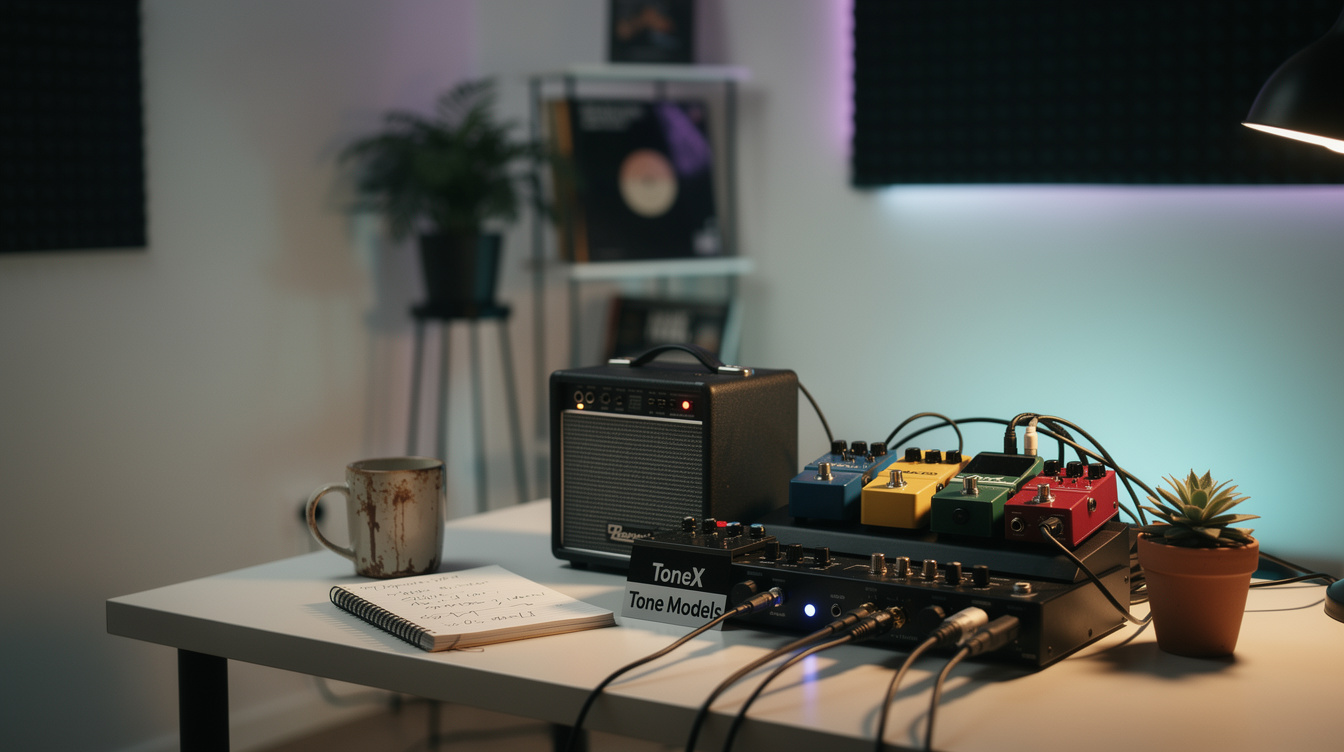
Pedal captures are different. A captured overdrive or fuzz does not include a cabinet; it is just the circuit behavior of the pedal itself. You stack these in front of an amp capture the same way you would stack a real pedal in front of a real amp. The interaction between a pedal capture and an amp capture can be surprisingly organic, because both are based on real hardware behavior rather than modeled circuit assumptions.
You can also capture an amp and pedal together as a single model, which locks in a specific combination at specific settings. This is useful for a sound you have dialed in exactly (a particular Tube Screamer into a particular Vox at a particular setting) but limits flexibility if you want to swap pieces later.
For a deeper look at how captured profiles differ from fully parameterized models, the Quad Cortex captures vs. models breakdown covers the conceptual tradeoffs well, even if the hardware is different.
How to Evaluate a Tone Model Before Committing
Loading a tone model and playing three chords is not an evaluation. Here is a more useful process.
Listen for the fundamental first. Play a single note, not a chord, in the middle register of your guitar. Hold it. Does the note have weight and shape on its own, or does it feel thin and two-dimensional? Good captures have a quality where the note sustains naturally and decays in a way that feels physical. Bad ones tend to sound like they are cutting off abruptly or sitting behind a layer of something synthetic.
Play the actual part you are building. Not a test riff. The actual passage. Tone models that sound impressive in isolation sometimes collapse when you run them against a drum track or a dense mix. The texture that sounded rich on its own might be occupying the same frequency space as something else, and now it just sounds like mud.
Test the guitar volume. Roll your guitar's volume knob down to around 7 o'clock and play. A high-quality amp capture should clean up in a way that feels connected to how the real amp would respond. If the model sounds identical at full volume and low volume, or if rolling back introduces an unpleasant quality, that tells you something about how the capture was made.
Check the transients. Pick hard, then soft, in rapid succession. Does the model track your dynamics? A good capture maintains pick sensitivity. One of the places where lower-quality community captures fall apart is right here: the transient response feels compressed or sluggish in a way that makes playing feel disconnected from the sound.
What Makes a Tone Model Good or Bad?
A good tone model does one thing above everything else: it sits in the mix without requiring extra work. You load it, dial in a bit of post-capture EQ, add a reverb or delay if you want it, and it sounds like it belongs with the other elements around it.
The specific qualities that signal a well-made capture:
Natural frequency balance. Neither boomy nor thin. The low-mids do not feel swollen. The highs have clarity but not harshness. You can hear this in two seconds of playing through monitors or headphones.
Responsive pick dynamics. The capture should feel alive under your hands. When you dig in, it should give you more character and harmonic complexity, not just more volume.
Consistent noise floor. Some community captures have more hiss or hum than the original amp ever would have produced. This is usually a capture environment issue rather than a model training issue, but the result is the same: you get background noise in your recordings that is baked into the model and cannot be removed without affecting the tone.
No artifacts under sustained notes. Hold a note for three to four seconds and listen carefully. A poorly trained model sometimes introduces subtle warping or pitch instability in the decay of a sustained note. It is subtle but audible, especially on headphones.
A bad tone model is usually not catastrophically wrong; it just requires more work than it returns. If you are fighting the model to get something usable, move on. There are too many options.
ToneX in a Headphone and DAW Workflow
This is where ToneX makes the most sense for the way many players actually work. Running ToneX as a plugin in your DAW (or using the ToneX Pedal directly into an audio interface) gives you a direct signal path that is optimized for close-listening environments.
The key is treating ToneX as a piece of the signal chain, not the whole thing. A typical headphone-first setup might look like:
Guitar > audio interface > ToneX plugin (amp capture + IR) > light EQ > reverb/delay > mix
The amp capture handles the core tone. An IR of a cabinet shapes the low-end weight and the air around the notes. A small amount of EQ adjusts for the specific frequency response of your headphones or monitors. Then space: a room reverb that is not trying to add size, just dimension.
What ToneX does well in this context is stay out of its own way. Unlike some modeled amp plugins that feel like they are imposing a character on everything you play through them, a good ToneX capture feels more like the amp is just there, doing its job. The texture comes from the guitar and the capture together, not from an algorithm deciding what amp-ness should sound like.
For general guidance on building a tone from the ground up in a modeler context, the how to dial in modeler tone guide covers the foundational EQ and gain-staging principles that apply to ToneX as well.
How ToneX Captures Interact With IRs
ToneX captures interact with IRs differently than I anticipated. My assumption going in was that the capture handled the amp and the IR handled the cab, and those two things would be relatively independent. In practice, the pairing matters a lot, more than it does with fully parameterized amp models.
A capture made from a tight, dry close-mic setup responds differently to IRs than one made with the mic pulled back slightly and a room bleed in the capture. The baked-in mic character affects how the IR sits on top of it. Two captures of theoretically similar amps can feel like completely different instruments depending on how they were made, and matching them to IRs becomes its own skill.
This is actually good news once you understand it. It means the right IR pairing can unlock a community model that seemed mediocre on its own. It is worth spending time experimenting with IR combinations before deciding a model does not work. A small-room IR with a well-made community capture can produce something that sounds more alive than a premium model paired with a generic cab.
Use Cases: Studio Recording, Practice, and the Bedroom Setup
ToneX is not one-size-fits-all. The use case shapes which kind of tone models you should be looking for.
Studio recording needs models that hold up under critical listening. Use premium or the best-rated community models. Prioritize captures with a clean noise floor and natural transient response. You are building a recording that someone will listen to on headphones, and the details matter at that level.
Late-night headphone practice is forgiving. The community library is perfect here. Load anything interesting and spend time with it. This is how you build intuition for what different captures feel like, not worrying about whether it would survive in a mix, just playing and listening.
Writing and sketching loops benefits from variety. Having a wide range of captures loaded (different gain levels, different amp characters, different pedal-into-amp combinations) gives you more options to match the emotional register of a session. A clean ambient loop and a saturated textured piece might each want completely different capture types, and having options ready means less interruption in the creative moment.
For context on how ToneX fits into the broader landscape of capture-based hardware, the Helix vs. Quad Cortex vs. Kemper comparison covers the ecosystem differences at a platform level.
FAQ
Can you edit a tone model after loading it in ToneX?
You cannot edit the internal parameters of a capture; the amp settings are fixed at the moment the model was trained. What you can adjust is your guitar's volume and tone, any drive or boost placed in front of the model, the post-capture EQ block within ToneX, and whatever IR or cab simulation follows the model. This gives you meaningful range without changing the fundamental character of the capture.
How many tone models can ToneX ONE hold vs. the full ToneX Pedal?
ToneX ONE holds up to 20 tone models. The ToneX Pedal holds up to 100. For studio and bedroom use where you are swapping models frequently through the software, ToneX ONE is workable but you will hit the limit if you build a large working collection. The plugin version does not have a storage cap in the same way.
Are community tone models safe to use in a finished recording?
Yes, with the usual evaluation. Run the model through your reference monitoring setup, check the noise floor, and make sure the transient response is what you need. Community models made by experienced capturers can be indistinguishable from premium ones. The quality range is just wider, so you need to vet them yourself rather than assuming they are production-ready.
What is the difference between ToneX and Kemper for someone working only in a DAW?
Kemper does not have a native plugin for DAW use in the same way ToneX does. ToneX runs as a plugin directly inside your session, which removes the interface layer. For DAW-first workflows, this is a meaningful practical advantage. The Helix vs. Quad Cortex vs. Kemper comparison covers the ecosystem tradeoffs in more detail.
Do I need a ToneX Pedal to use tone models, or can I use just the software?
The ToneX software plugin runs on its own without any hardware. You can load, browse, and use tone models entirely inside your DAW. The ToneX Pedal and ToneX ONE are hardware options for players who want a physical unit (on a pedalboard, in a practice setup, or between a guitar and audio interface without a computer running). For headphone and studio recording workflows, the plugin alone is fully functional.