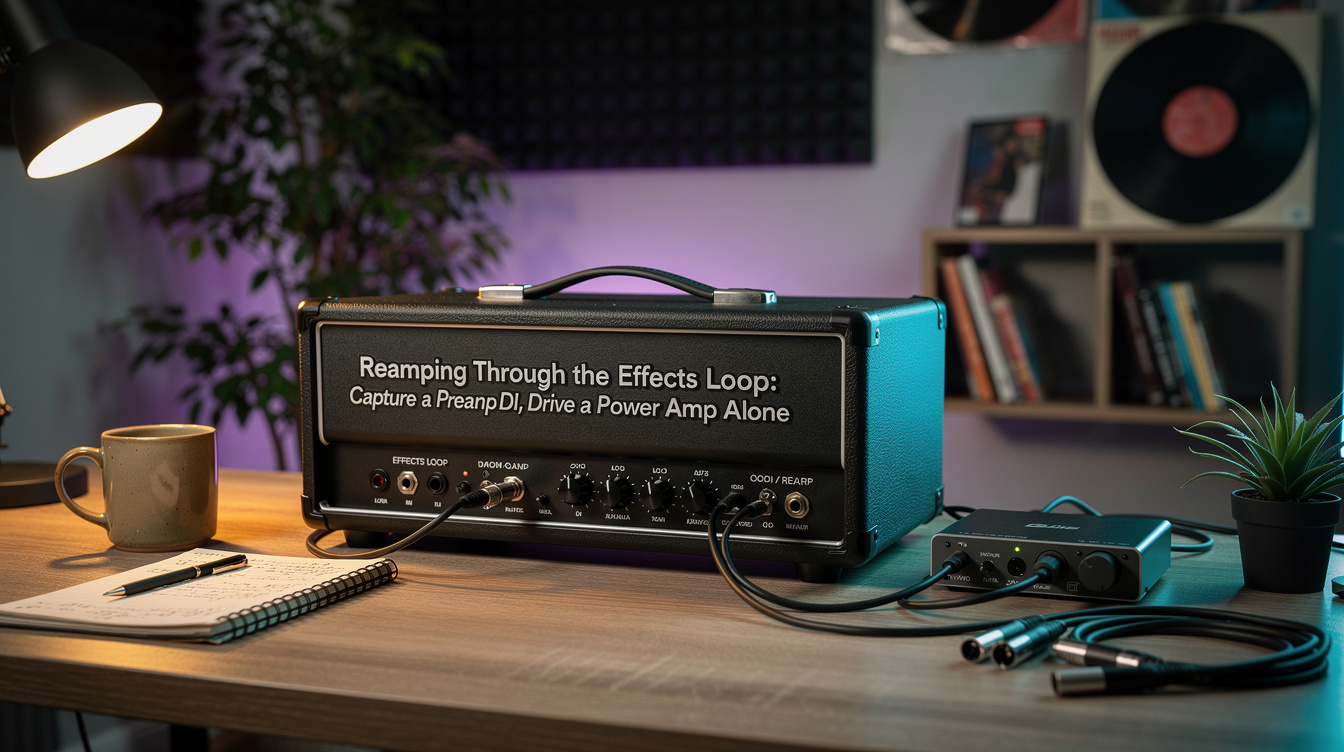
Most guitarists treat the effects loop as one thing: a place to put delay and reverb so the preamp doesn't smear them. But the loop is actually two separate access points to your amp's internals, and once you see them that way, a recording technique opens up that doesn't require a load box, a second amp, or any new hardware. The loop Send taps the signal after your preamp. The loop Return injects a signal into your power amp. That split lets you record your preamp by itself, and drive your power amp by itself — which is the whole basis of reamping through the loop.
The Loop Is Two Taps, Not One
Here's the part that's easy to miss. The signal path inside the amp goes: input → preamp + tone stack → [loop Send → loop Return] → power amp → speaker. The loop is an insert between the preamp and the power amp, so each jack sees a different signal:
| Jack | What it carries | What it lets you do |
|---|---|---|
| Send | Post-preamp, post-tone-stack signal (no power amp, no speaker) | Record a preamp DI |
| Return | Direct line into the power amp (skips the preamp) | Reamp through the power section + cab |
That's it. Everything below is just the two directions of that one idea. If the loop itself is new territory, the effects loop explainer covers the basics first; this is the recording-workflow layer on top.
Direction 1: Record the Send for a Preamp DI
Run the loop Send into an audio interface and you're recording your amp's preamp and EQ with nothing after it — no power-amp compression, no speaker, no mic. People call this a preamp DI.
Three things to get right:
- Pad the level. The Send is hot — frequently line level, sometimes hotter. Plugging it straight into an instrument input will clip the converter. Use a DI or reamp box, or a pad, and set the interface gain low. (This is the same level-mismatch problem that bites pedals in the loop; the line-level vs. instrument-level breakdown is the reference.)
- Expect it to sound unfinished. A raw preamp DI is buzzy and harsh on its own, because you're hearing none of the things that civilize an amp: power-tube sag, speaker rolloff, room. That's not a problem — it's the point.
- Finish it after. Add a power-amp sim and a cab impulse response after the DI in your DAW. Now you have a finished tone you can completely reshape later — swap the cab IR, re-EQ, change the power-amp character — without ever re-recording the performance.
The payoff is repeatability. The preamp DI is the take; everything downstream is a setting you can version and revisit. (If you want to hear the seam between the two stages first, preamp vs. power-amp distortion: how to hear it isolates each one.)
Direction 2: Feed the Return to Reamp the Power Amp
Now go the other way. Send a signal into the loop Return and it lands at the power amp's input, bypassing the preamp completely. The power section and the real cab become the back half of whatever you feed in:
- A preamp pedal (a SansAmp, a Helix going preamp-only over its output, an outboard preamp) into the Return uses your tube power amp and speaker as its power section.
- A recorded preamp DI played back through a reamp box into the Return runs your earlier take through a real power amp and cab — true reamping, just inserted at the power stage instead of the front.
- A modeler into the Return uses the real amp's push and your real speaker instead of its modeled ones.
For any of this to work cleanly the loop has to be series, or a parallel loop set fully wet — otherwise the amp blends its own dry signal back in next to your reamped one and you get a muddle. The series vs. parallel loop guide covers how to tell and how to set it.
The Trap: The Return Bypasses the Preamp, Not the Cab
I expected sending a Quad Cortex into my amp's FX Return to just give me "my modeler through a real cab." The first patch sounded like two cabs stacked on top of each other — dark, boxy, congested, like playing through a closed closet. I assumed the Return was the problem. It wasn't. The Return bypasses the preamp — it does nothing to the speaker. My patch still had its cab block switched on, so I was running a modeled speaker into a physical one. Killing the cab block (and the power-amp block, since the real power section was now doing that job) so the patch was preamp-only is what let the real power amp and cab finally do their half. The fix was one block, but the mental model was the whole thing: in a reamp-into-the-Return setup, you're borrowing the amp's back half, so you have to delete the back half of whatever you're sending in.
That's the single most common way this goes wrong, and it's worth stating as a rule: match the stages. Whatever the real amp is providing — power amp, speaker — turn off in the source. If you're using a real power amp and real cab, your modeler patch is preamp-only. This is the same logic behind running a modeler and a real amp together in a wet/dry setup; reamping just does it at the recording stage.
Levels and Safety in One Place
A few non-negotiables, because the loop is a small-signal circuit and the power amp is not:
- Return takes line or instrument level only. A modeler output, a reamp box, a preamp pedal — all fine. A speaker-level signal — never. The Return is not a speaker input.
- Match the Return's expected level. Amps differ; if there's an instrument/line switch on the loop, set it to match your source so you're not clipping or under-driving the power amp.
- A tube power amp always needs a load. Reamping through the Return still runs the power tubes, so a proper speaker or load box must be connected, exactly as in normal playing. Nothing about using the loop changes that.
When to Reach for This
Two clear cases. If you want to record once and decide your amp tone later, capture the preamp DI off the Send and finish it in the box — you get the performance locked and the tone fully editable. If you want to use a real power amp and speaker as the finishing stage for a preamp pedal, a DI, or a modeler, feed the Return with a preamp-only signal and let the amp's back half do the work.
Both come down to the same realization: your amp isn't one block. It's a preamp and a power amp with a patch point between them, and the effects loop is how you get at each one separately. For where every other block lands relative to those two stages, the signal chain order guide maps the full row.